Navigation creates uncertainty
When users are unsure where they are or where to go next, they tend to leave instead of explore.
Website & E-commerce
Remove the small moments of friction that make users pause, wander, or give up before the experience delivers.

What clients feel first
When users are unsure where they are or where to go next, they tend to leave instead of explore.
Forms, layouts, buttons, and mobile screens each add a small moment of hesitation that builds up.
The quality of a service does not matter if the digital experience makes it hard to choose.
Who we are
We design digital experiences that reduce friction, guide decisions, and make services easy and satisfying to use across every screen.




The work path
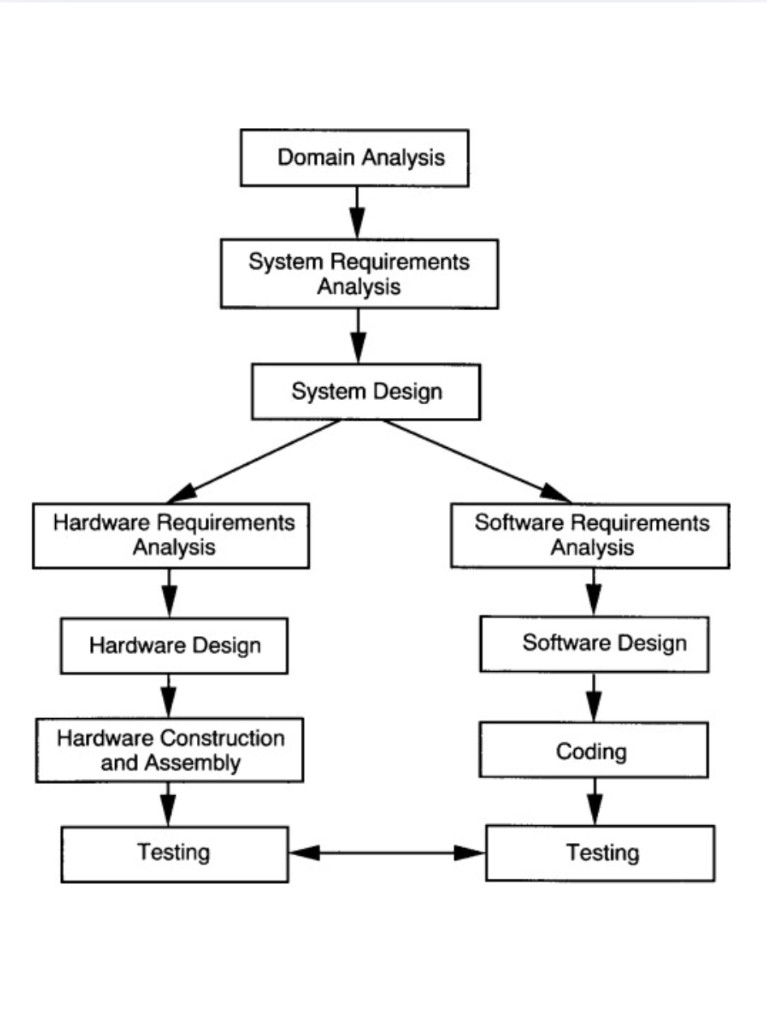
We discuss your goals, users, features, content, technical needs, and timeline, then provide a clear proposal.
After payment or deposit, we collect access and materials, confirm the scope, and establish the project roadmap.
We define the pages, features, user flows, integrations, data needs, and technical structure.
We confirm layouts, responsive behaviour, components, content structure, and development priorities.
We build the approved interface, functionality, forms, databases, APIs, and integrations included in the scope.
We add approved content and connect tools such as CRM, analytics, payments, email, or third-party platforms.
We test responsiveness, performance, forms, links, security basics, integrations, and browser compatibility.
We deploy the website, confirm key functions, and provide the completed system with basic usage guidance.
Cost of delay
If navigation, layout, or content flow feels unclear, visitors may leave before understanding your offer.
Booking, purchasing, contacting, or browsing can feel frustrating when the experience is not designed around the user.
A clunky experience can make customers question whether the business is modern, reliable, or easy to work with.
Success stories
Our platform worked, but it wasn't very intuitive for new users. Evergrowth Digital's work made the product easier to move through, and that reduced friction right away.

Victor
SaaS Founder
We had too many steps and too much confusion in the user flow. The redesign made things simpler and more comfortable for people using the system.

Elaine
Healthcare Administrator
What stood out was how practical the recommendations were. They weren't just aesthetic changes — they improved how the interface actually functioned.

Yusuf
App Product Manager
Students were getting lost in places that seemed obvious to us internally. The new UX direction made navigation clearer and cut down on user hesitation.

Brooke
Online Learning Coordinator
Arjun brought a clear product mindset to the process. The interface became more user-friendly without losing the features we needed, which was exactly the balance we were after.

Nathan
Startup Co-Founder

Shopify

WordPress

Framer

Webflow
Shopify
WordPress
Framer
Webflow
Shopify
WordPress
Shopify
WordPress
Framer
Webflow
Shopify
WordPress
Framer
Webflow
Shopify
WordPress
Next step
Design smoother journeys that help visitors understand, navigate, and take action with less effort.
FAQ
UI/UX design is the process of making a website, app, or digital product easier to use, easier to understand, and more visually consistent. UI focuses on the interface, such as layout, buttons, colours, typography, and visual style. UX focuses on the user journey, structure, navigation, content flow, and how easily people can complete an action. For Vancouver and Greater Vancouver businesses, good UI/UX design can help turn visitors into leads, customers, or bookings.
UI design is what users see and interact with on the screen. UX design is how the whole experience works. A simple analogy: UI is the look of a restaurant menu, while UX is whether customers can quickly find what they want, understand the options, order easily, and feel confident about their choice. A strong digital product needs both.
You may need UI/UX design if users are confused, leaving your website quickly, not filling out forms, not booking, not buying, or asking the same questions repeatedly. UI/UX design is especially useful before building a new website, redesigning an old website, launching a mobile app, creating a dashboard, or improving a landing page. It helps reduce guesswork before development starts.
Our UI/UX design service may include discovery, user flow planning, sitemap review, wireframes, layout design, interface design, responsive design direction, interactive prototypes, and developer-ready design files. Depending on the project, we can also review your current website experience and recommend improvements for clarity, usability, and conversion.
UI/UX design can improve conversions by making the page easier to scan, reducing friction, clarifying the message, improving button placement, simplifying forms, and guiding users toward the next step. For example, if a service page has unclear pricing, weak call-to-action placement, or too many distractions, users may leave before contacting you. Better UX helps users move from interest to action more smoothly.
Yes. Wireframes help plan the structure before detailed visual design begins, while prototypes show how users may move through the website, app, or interface. These are useful because they allow you to review the experience before development. It is usually easier and cheaper to fix layout or flow issues in the design stage than after coding has already started.
Yes. We can prepare design files that developers can use as a clear reference for layout, spacing, typography, colours, components, and responsive behaviour. When needed, we can also provide notes for sections, interactions, and user flows. A good design handoff helps reduce confusion between design and development.
UI/UX design cost depends on the number of pages or screens, project complexity, research needs, prototype depth, revision rounds, and whether the design is for a website, mobile app, landing page, or software interface. A simple landing page design is usually smaller in scope than a full app or custom dashboard. To estimate the project clearly, we usually need to understand your goals, audience, features, and required pages or screens.
The timeline depends on the size and complexity of the project. A simple landing page or small website design may take less time, while a mobile app, dashboard, or multi-page website needs more discovery, structure planning, design, feedback, and revisions. Clear content, brand assets, and decision-making can help the project move faster.
No. UI/UX design is not just decoration. It is about helping users understand your offer, trust your business, and complete important actions with less confusion. A beautiful website that is hard to use can still lose customers. Good UI/UX design combines visual design, usability, structure, and business goals.