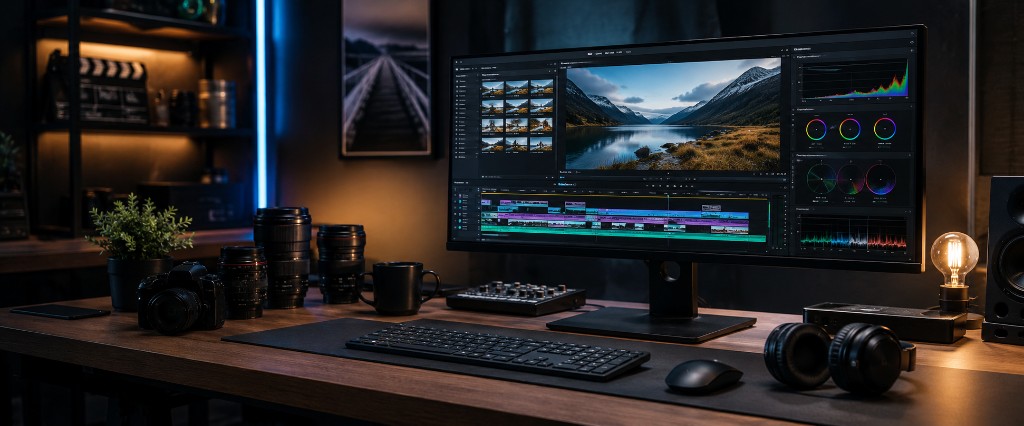
You recorded the footage.
The lighting looks good. Your team sounds knowledgeable. The product demonstration went smoothly.
But when you watch the clips together, the video feels slow. The strongest moment appears too late, the message wanders, and the ending gives viewers nowhere to go.
Your footage is not necessarily the problem.
It may simply need a clearer story.
Viewers Need a Reason to Stay
Picture someone checking their phone while waiting for the SeaBus, sitting in a café in Port Moody, or riding the West Coast Express home toward Mission.
Your video appears between dozens of other messages competing for attention.
A long introduction gives them time to leave.
Instead of beginning with your company history, open with the viewer's problem:
Your website receives traffic, but visitors are not contacting you.
A contractor could begin with a dramatic before-and-after result. A clinic might open with a question patients regularly ask. An e-commerce company could show the product solving a familiar frustration.
The opening should make viewers think: This is relevant to me.
Practical tip: Find the strongest five seconds
Review all your footage and identify the most interesting statement, reaction, demonstration, or visual result.
Consider placing it near the beginning—even if it was recorded near the end.
Give the Video One Job
A single video does not need to explain everything about your business.
It needs one clear purpose.
| Video goal | Possible next step |
|---|---|
| Introduce a service | Visit the service page |
| Demonstrate a product | View or purchase the product |
| Share customer results | Request a consultation |
| Explain a process | Book an appointment |
| Promote an event | Register or learn more |
Without a clear goal, clips accumulate without direction. The video may look polished but still feel difficult to follow.
Professional video editing helps organize raw material around one message and one intended action.
Remove What the Viewer Does Not Need
Editing is often less about adding effects and more about removing hesitation.
A pause that feels natural in conversation may feel long on video. A repeated sentence may weaken the message. An elaborate transition may distract from the point.
Imagine driving the Sea-to-Sky Highway toward Squamish. The route feels memorable because it continually moves forward.
Your video needs the same momentum.
Keep the parts that build understanding, emotion, or interest. Remove the parts that simply take up time.
Practical tip: Use the "does it help?" test
For every clip, ask:
- Does this clarify the message?
- Does this strengthen trust?
- Does this move the story forward?
When the answer is no, consider cutting it.
Make It Easy to Watch Without Sound
A customer may see your video on a lunch break, inside a waiting room, or during a quiet commute.
They might not turn the sound on.
Captions allow the message to remain understandable while also drawing attention to important phrases. Keep them easy to read, timed naturally, and consistent with your brand identity.
Avoid filling the entire screen with text. Captions should support the speaker, not compete with them.
Edit for the Platform
A horizontal website video, vertical Reel, and YouTube tutorial serve different viewing situations.
Simply cropping one finished video into several sizes can cut off faces, products, or important text.
Plan each version around where it will appear:
| Platform | Editing focus |
|---|---|
| Reels and short-form video | Immediate hook, vertical framing, faster pacing |
| Website | Clear value, strong branding, restrained movement |
| Digital ads | One offer and a visible call to action |
| YouTube | More explanation and a structured story |
| Email campaigns | Short preview connected to a landing page |
A promotional video should also lead somewhere useful. Connecting it to a focused landing page gives interested viewers a clear place to continue.
Turn One Recording Into More Content
A business owner in Langley may record a ten-minute customer interview. A fitness studio in North Vancouver may film one class. A specialty retailer in New Westminster may capture a product demonstration.
Each session can produce more than one video.
The footage could become:
- One main promotional video
- Several short social clips
- A website section
- A customer testimonial
- A short advertisement
- A muted background video
This makes content production more manageable. Instead of constantly recording from scratch, you build a library that can support campaign management, social media, email, and paid advertising.
End With Direction
Many business videos simply fade out after the final sentence.
That leaves the viewer with information but no next step.
A call to action does not need to sound aggressive. It can be as simple as:
- See how the service works.
- Explore the full collection.
- Book your first consultation.
- Request a project estimate.
The viewer has given you their attention. Help them decide what to do with it.
Shape the Story You Already Have
You do not always need more footage, expensive effects, or complicated animations.
You may already have the right moments sitting inside a folder: a useful explanation, a genuine customer reaction, a strong product demonstration, or a glimpse of your team at work.
The next step is arranging those moments into a story people can understand and act on.
Start with the strongest hook. Keep one clear message. Remove distractions. Add readable captions, prepare the right format, and finish with direction.
Your business created the story.
Good editing helps people stay long enough to see it.
Explore professional video editing services and turn your raw footage into focused content built for real marketing use.