It is nearly midnight in Vancouver.
Your support team has finished for the day, but a shopper in Toronto is comparing two products. Another customer in Quebec wants to understand the return policy. A buyer in California is wondering whether an item works with something they already own.
The answers exist.
They may be inside product pages, policy documents, sizing guides, FAQs, or support emails.
But the customer cannot find them quickly enough.
A RAG-powered chatbot can turn that scattered knowledge into a more useful conversation.
What Is a RAG Chatbot?
RAG stands for retrieval-augmented generation.
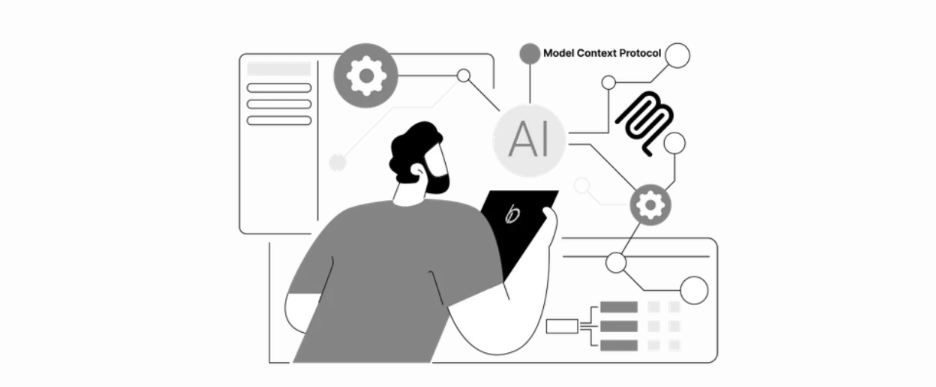
Instead of relying only on a language model's general knowledge, a RAG system searches approved business content before generating an answer.
Think of it as giving an AI assistant access to a well-organized company handbook.
A simplified process looks like this:
Customer question → retrieve relevant business information → generate an answer → provide a link or next step
The chatbot might search:
- Product descriptions
- Specifications and metafields
- Shipping and return policies
- Size or compatibility guides
- Frequently asked questions
- Service pages
- Approved internal documents
This makes the response more grounded in what the business actually offers.
Reduce Repetitive Customer-Service Work
Support teams often answer the same questions:
- Do you ship to Yukon?
- How long does delivery to Toronto take?
- Which size should I choose?
- Is this product compatible with another item?
- What is your return window?
- When will an out-of-stock product return?
Manually answering every message takes time away from situations that require judgment and empathy.
An AI customer-service chatbot can handle straightforward questions first, while the team focuses on damaged orders, unusual requests, complaints, and valuable sales conversations.
The goal is not to remove people.
It is to prevent people from spending the entire day copying answers that already exist.
Build the Knowledge Base Before the Chatbot
A chatbot cannot provide reliable service when the source information is incomplete or contradictory.
Before development, organize the content it should use.
| Knowledge area | Information to prepare |
|---|---|
| Products | Features, dimensions, materials and compatibility |
| Orders | Processing times, tracking and delivery expectations |
| Shipping | Regions, costs, restrictions and thresholds |
| Returns | Time limits, conditions and exclusions |
| Customer care | Common issues and escalation rules |
| Brand | Tone, approved wording and unsupported claims |
If one page says returns are accepted within 14 days and another says 30 days, the chatbot may retrieve conflicting information.
RAG quality begins with knowledge quality.
Practical tip: Review support tickets
Collect the 20 questions customers ask most frequently.
Then check whether each answer exists clearly somewhere in your approved content.
Missing answers reveal what the knowledge base needs before automation begins.
Use Product Data for Recommendations
For e-commerce businesses, customer service is often connected to product discovery.
A shopper may not know the exact product name. They may describe a need instead:
- I need a lightweight backpack for short rainy hikes.
- Which container is suitable for hot soup delivery?
- What skincare product is suitable for dry winter weather?
A recommendation chatbot can retrieve structured product information and narrow the available choices.
Useful product attributes may include:
- Intended use
- Size
- Material
- Colour
- Compatibility
- Price range
- Inventory status
- Customer type
- Shipping availability
For a Shopify store, much of this information can be stored using product fields, variants, tags, collections, or metafields.
A stronger Shopify optimization structure makes product information easier for both shoppers and AI systems to retrieve.
Recommendations Need Rules
AI product recommendations should not behave like guesses.
The system should identify the customer's needs, retrieve suitable products, explain the differences, and link to the relevant product pages.
For example:
- Are you using the container for hot food, cold food, or both?
- Do you need the item for everyday use or travel?
- What is your approximate budget?
The answers can help filter the catalogue before recommendations appear.
A useful recommendation should explain why the product fits:
This option may suit hot-food delivery because it is designed for higher temperatures and includes a secure lid.
That is more helpful than simply presenting three random bestsellers.
Create Clear Boundaries
A trustworthy chatbot should understand what it should not answer.
It may need to avoid:
- Inventing unavailable product features
- Promising delivery dates it cannot confirm
- Approving refunds
- Giving medical, legal, or financial advice
- Discussing sensitive customer records
- Making unsupported guarantees
When confidence is low, the system should say so and guide the customer toward a person.
For example:
I could not confirm that detail from the available product information. Would you like me to help you contact the support team?
A controlled limitation is better than a confident but incorrect answer.
Add Human Handoff
Some conversations should move smoothly from AI to human support.
Escalation may be appropriate when:
- The customer is upset
- An order is missing or damaged
- The question involves a large wholesale purchase
- The request requires account access
- The available information is insufficient
- The customer asks to speak with someone
The chatbot can collect useful context before the handoff:
- Name and contact information
- Order number
- Product involved
- Reason for contact
- Conversation summary
Connecting this workflow through CRM and form integration can create a lead or support record without asking the customer to repeat everything.
Embed It Into the Existing Website
A RAG chatbot can appear as a website widget rather than forcing customers to install another app.
The interface may include:
- Welcome message
- Suggested questions
- Product links
- Quick-reply buttons
- Conversation history
- Contact or escalation option
The experience should also work comfortably on mobile.
A shopper may open it from a phone in Squamish, a desktop in New York, or a tablet in Montreal. The chat window should remain readable, responsive, and easy to close without covering the entire store.
Custom web development may be needed to connect the interface, retrieval system, product data, analytics, and business tools.
Test Real Customer Questions
A chatbot demonstration may look impressive while answering prepared questions.
The real test begins with the messy way customers actually speak.
Test variations such as:
- Do you ship north?
- Can this go in microwave?
- What size for two people?
- I bought the wrong one—what now?
- Which option is cheapest but still waterproof?
Review whether the chatbot retrieves the right content, asks useful follow-up questions, and avoids unsupported answers.
Testing should include:
- Common questions
- Misspellings
- Vague requests
- Conflicting information
- Out-of-scope topics
- Product comparisons
- Escalation situations
The knowledge base and instructions should improve as real conversation patterns appear.
Measure Helpfulness, Not Just Chat Volume
A high number of conversations does not automatically mean the system is useful.
Track outcomes such as:
| Metric | What it reveals |
|---|---|
| Answer success rate | Whether customers receive a useful response |
| Escalation rate | How often human assistance is required |
| Product clicks | Whether recommendations create interest |
| Assisted conversion | Whether chatbot users purchase |
| Unanswered questions | Gaps in the knowledge base |
| Support deflection | Routine questions handled without a ticket |
| Customer feedback | Whether the experience feels helpful |
These signals show where retrieval, content, product data, or conversation design needs improvement.
Make Existing Knowledge Easier to Use
Your business may already have the answers.
The problem is that they are spread across product pages, PDFs, policy documents, emails, and the experience inside your team.
A RAG system organizes that knowledge into a searchable layer. A chatbot then gives customers a conversational way to access it.
Start with approved content. Structure the product data. Define boundaries, test real questions, and keep a human path available.
Your customers should not have to search five pages to find one answer.
Explore AI automation services and turn your existing knowledge into faster customer support and more useful product recommendations.